
What counts as a local channel
A local channel is a broadcast station licensed to serve your area, usually affiliated with a national network that supplies its prime-time and sports programming while the station adds its own local news. Because the license is local, each station belongs to one TV market.
Those markets are Nielsen's designated market areas. There are 210 of them, and every county is assigned to exactly one, based on which city's stations its viewers watch most. When a service says local coverage depends on your market, this is the map it means, and it does not follow state lines.
Local stations carry the programming people most often say they miss after cutting cable: local news and weather, and the broadcast sports that our blackouts guide explains. That is why local coverage is usually the first question buyers ask about any TV service, and why it deserves a straight answer rather than a checkbox.
Local stations are different from the cable networks most people also call channels. A cable network sends the same feed everywhere; a local affiliate is a different station in each market, with its own owner and its own agreements. That one difference is the root of everything below.
Why carrying them takes the station's permission
Carrying a local station takes its permission because federal rules require it. Under the FCC's retransmission consent rule, 47 CFR 76.64, a cable or satellite operator, or any other multichannel video distributor, may not carry a commercial station's signal without the station's express authority unless the station has elected must-carry, and a consent agreement has to be in writing and set out what it covers.
Stations get a choice. In each election cycle, now every three years, a commercial station elects either must-carry, under which local cable systems carry it without negotiating, or retransmission consent, under which it negotiates terms instead. A station that chooses consent can withhold its signal until a deal is reached, which is what is happening when a channel vanishes from a TV service during a carriage dispute.
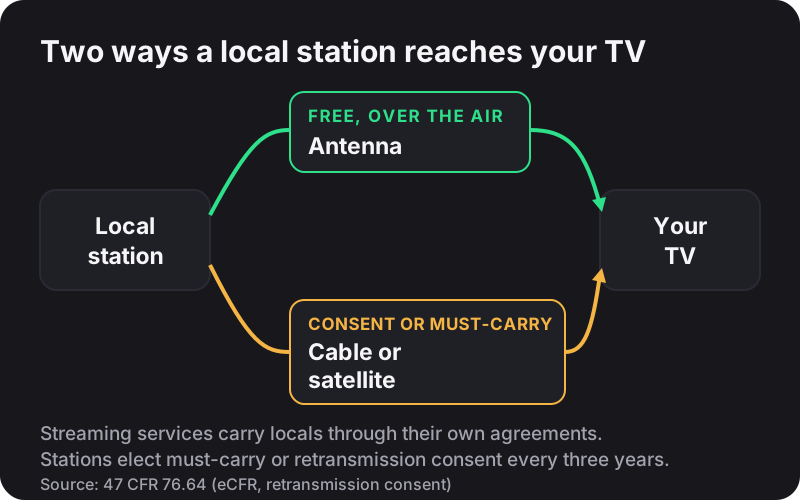
Online TV services that carry local stations generally do it through agreements with the stations or their owners, which is why their local coverage, like cable's, is listed market by market. The consequence for buyers is simple: local coverage is not a feature a service can switch on nationwide. It is the sum of many separate agreements, and every gap is a station or a market where no agreement exists.
Why local coverage differs by ZIP code
Coverage differs by ZIP code because each agreement covers specific stations in specific markets, and your ZIP code tells a service which market you are in. Two services can both say they include local channels and still carry different stations where you live.
The same market boundaries decide sports. Our guide to regional sports blackouts shows how national packages remove games that a local station or regional network holds in your area. Local stations and regional sports networks are the two places where the market you live in, not the plan you buy, decides what you see.
For IPTV specifically, treat any promise of every local station in every market with caution. Our own IPTV licensing explainer says local affiliate coverage varies by market, and that is the honest position for any service: the variation comes from the licensing, not from the technology. It is one of several limits our IPTV guides come back to.
The free option: an antenna
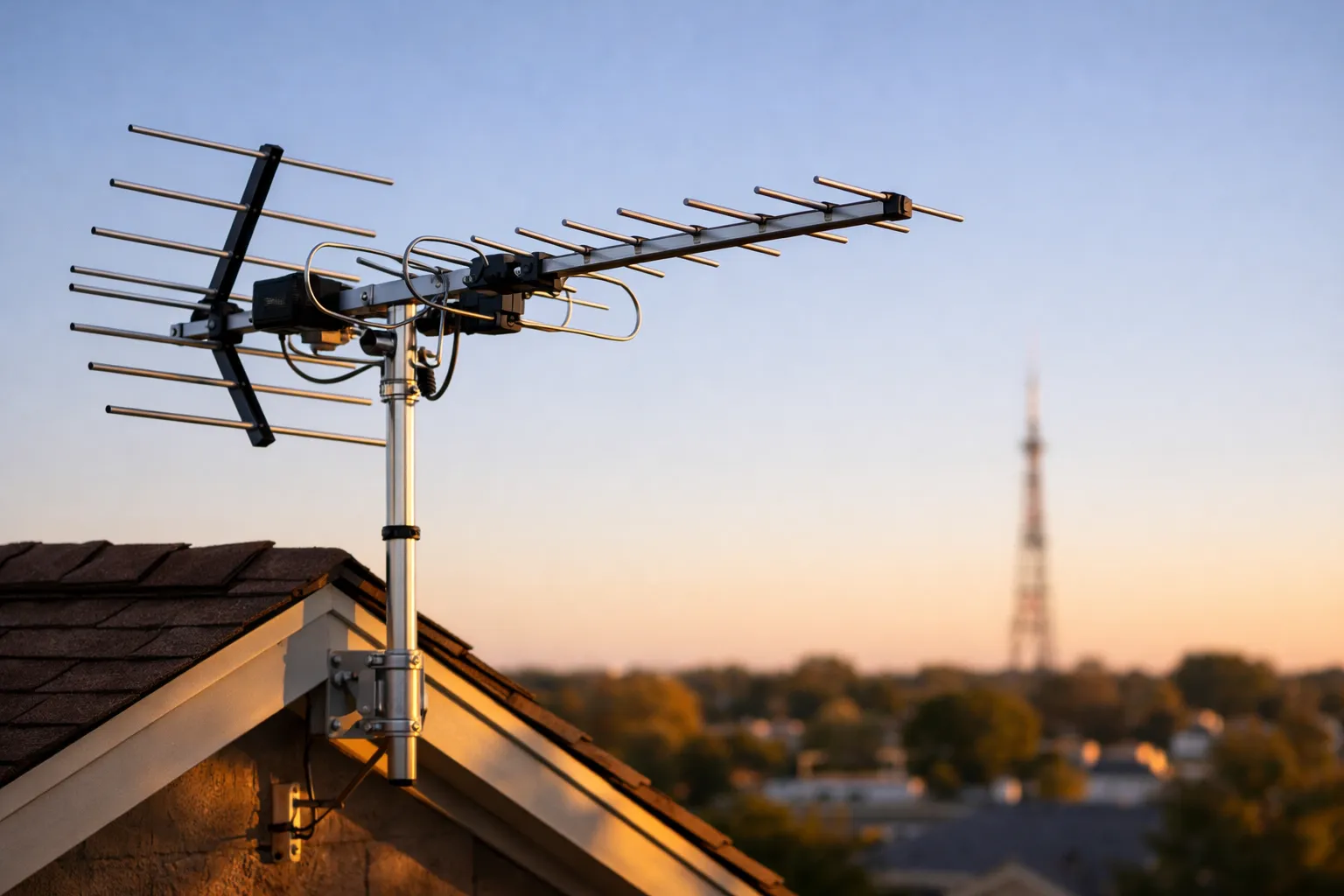
Yes, you can get local channels free: local stations broadcast over the air, so an antenna receives them with no subscription at all. The FCC's consumer guide to antennas and digital television sets out the order to work in, and following that order fixes most reception problems before you spend anything.
Start with a channel scan on the TV before you change anything, and repeat it from time to time, because stations do move. If channels are missing, raise an indoor antenna and move it near an exterior wall, then scan again; every change needs a new scan. If that is still not enough, an outdoor antenna generally receives better than an indoor one, and the FCC recommends one for the most reliable reception.
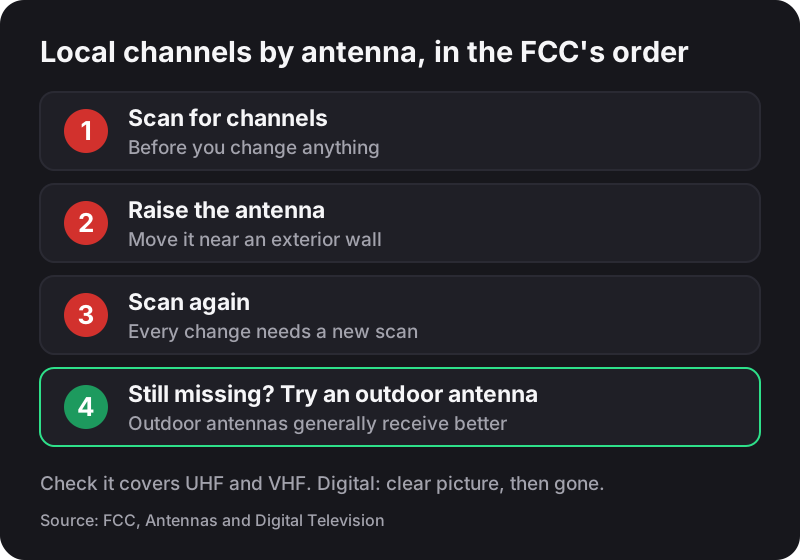
Two details save wasted money. Check that an antenna covers both UHF and VHF, because some antennas sold as HDTV antennas work best on UHF alone. And remember how digital reception fails: the picture stays clear until the signal drops below a minimum, then it disappears instead of turning snowy, so a channel that drops out is usually a placement problem rather than a broken TV.
A few more points from the same FCC guide. A digital converter box needs an antenna too, because converter boxes contain no antenna or amplifier of their own. A splitter that feeds several TVs reduces the signal reaching each one; an active splitter with an amplifier can help. And if you live very close to a broadcast tower, too much signal can be the problem, in which case an attenuator, or removing an amplifier, may restore the picture.
You also have a legal right to install one, subject to safety and historic-preservation exceptions. The FCC's Over-the-Air Reception Devices rule limits restrictions from local governments, landlords and homeowners' associations that would unreasonably delay, raise the cost of, or prevent installing a TV antenna on property you own or rent and have exclusive use of, such as a balcony or a patio. The rule does not cover common areas, such as a shared roof.
How to check before you subscribe
Check before you pay by asking the provider which local stations it carries in your market, in writing, and then testing them yourself inside a refund window. A list beats a promise, and a test beats a list.
Ask for the stations by network for your ZIP code, not a general line that says local channels are included. If the provider cannot answer, assume it does not carry them, and price an antenna into the decision instead; our guide on whether IPTV is worth it works through that trade honestly.
Then test on the device you will actually use, at the time you usually watch. NixaTV gives new subscribers 7 days from payment to report a service problem, with a full refund if it can't be fixed, which is enough time to check every channel that matters to you; the refund policy explains how to claim it.
Make the test count. Write down the stations you actually watch each week, check each one on the evening you usually watch it, and include a night with local news and a weekend with a broadcast game if those matter to you. A channel that appears in a list but fails at eight in the evening is not one you have.
Most households end up with a mix: an antenna for local news and broadcast sports, and a subscription for everything else. If that is your plan, see what each NixaTV plan includes, and keep the antenna for your local stations.